Tool
Amharic Keyboard Tester
Free Amharic keyboard tester. Press each key to see it register, check the keys Amharic typing relies on and fix common Amharic keyboard problems.

Press any key to check that it works. Test every key on your keyboard, including F-keys, arrows and the numpad. Free, private and nothing to install.
0 of 104 keys tested
Keys you press turn red, and stay tinted once they've been tested. A few keys, such as Fn and some media keys, are handled by the keyboard or your operating system and can't be seen by any website.On a phone or tablet, connect a keyboard first. Tapping the keys on screen doesn't test anything.Using only a keyboard? Press Esc twice to leave the tester.
The whole test takes about a minute. Use a physical keyboard: tapping the keys on screen doesn't test anything.
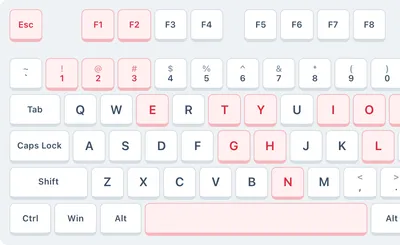
Press each key on your keyboard one at a time. Working keys light up red on the keyboard above and stay tinted once they have been tested.
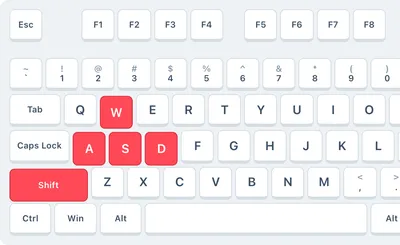
Hold several keys together, such as Shift with letters or W, A, S and D, to check for ghosting. Press Reset whenever you want to start over.
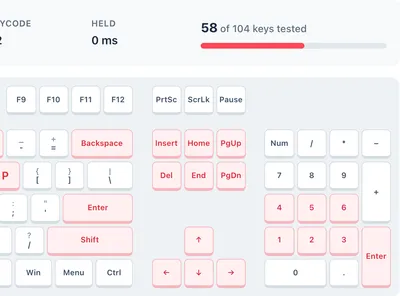
The counter shows how many keys you have tested. A key that never lights up, sticks or types twice points to a hardware or driver problem.

Test as many keyboards as you like at no cost: desktop, laptop, wireless, gaming and mechanical keyboards all work.

Every press shows up instantly with the key name, its code, which side it is on and how long you held it. No app or plug-in needed.

The tester runs entirely in your browser. Nothing you type is saved or sent anywhere.

Test standard, gaming and wireless keyboards on Windows, including the Windows, Menu and Print Screen keys.

Switch the tester to Mac to see Command, Option and Control where they sit on Apple keyboards, plus F13 to F15.

Pick TKL or 60% to match smaller keyboards, or use full size for keyboards with a numpad.
Measure how fast your keyboard responds, how many keys it registers at once, or type in another language.
A quick walkthrough of testing every key with an online keyboard tester.
Your computer is probably set to a different keyboard layout or language than your keyboard. Open your keyboard or language settings, choose the layout printed on your keys (for example US QWERTY) and remove layouts you don't use. If it still happens, reinstall the keyboard driver from your manufacturer's website.
Reconnect the keyboard or try another USB port. For a wireless keyboard, replace the batteries and pair it again. Then test it on another computer: if the key works there, the cause is a driver or setting on your computer; if it fails there too, the key or switch is faulty.
Unplug or switch off the keyboard, turn it upside down and tap it gently to release crumbs, then blow compressed air between the keys. Clean sticky keys with a cotton swab lightly dampened with isopropyl alcohol. After a sugary spill, the keyboard may need a deep clean or replacing.
Use it when a key stops working, types twice or feels sticky, when you buy a new or used keyboard, to check ghosting on a gaming keyboard, and to test keys you can't easily type into a document, such as F1 to F12, Print Screen or the numpad.
Yes. Switch the tester to Mac to show the Command and Option keys, or choose TKL or 60% for smaller keyboards. Laptop keyboards work too, but the Fn key itself can't be detected because the keyboard handles it internally.
Press every key once. Each key lights up red while you press it and stays tinted afterwards, and the counter shows how many keys you have tested. When every key is tinted, your keyboard has passed.
Warning signs are keys that never light up, keys that need extra force, keys that register twice from one press (the tester warns you about this key chatter) and keys that stay pressed after you let go. If keys also fail on another computer, it is time to repair or replace the keyboard.
Yes. This tester runs entirely in your browser and never records or sends what you type, so you can safely press any key.
Found a problem? These guides walk you through the most common keyboard fixes. Browse all articles.
Free Amharic keyboard tester. Press each key to see it register, check the keys Amharic typing relies on and fix common Amharic keyboard problems.
Free Armenian keyboard tester. Press each key to see it register, check the keys Armenian typing relies on and fix common Armenian keyboard problems.
Free Azerbaijani keyboard tester. Press each key to see it register, check the keys Azerbaijani typing relies on and fix common Azerbaijani keyboard problems.
Free Belgian keyboard tester. Press each key to see it register, check the keys Belgian typing relies on and fix common Belgian keyboard problems.
Test every key on a keyboard in your language or layout. See all language keyboards.